
Quick Answer
A product video budget template helps ecommerce teams decide what to spend before production starts. The practical version separates six buckets: pre-production, source assets, production, QA, variants, and testing. Start with the product story and proof requirements, then choose the cheapest production method that can show that proof accurately.
Do not budget by asking, "How much does a video cost?" Budget by asking, "How many usable product video assets do we need, and what proof must each one show?" A simple AI draft may be enough for a product with strong photos. A creator clip or phone demo may be worth the spend when the buyer needs scale, texture, fit, or real handling.
Use this guide with the low-cost product video workflow, then turn the approved budget into a product video script template and product video shot list.
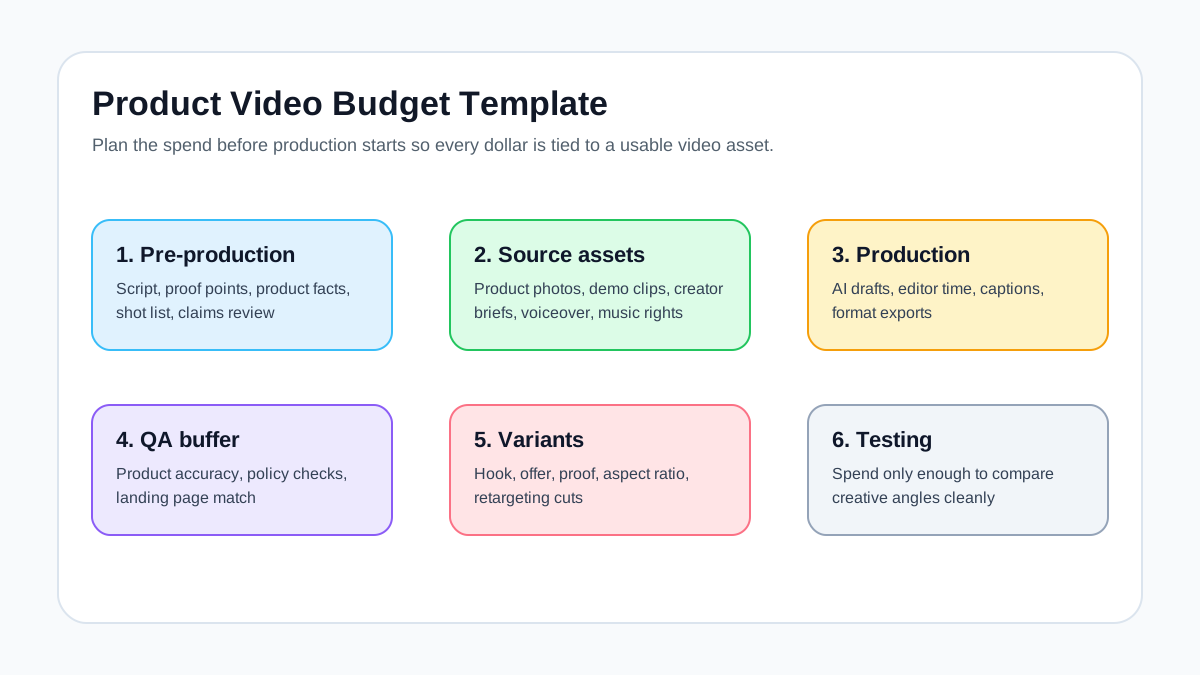
The Budget Template
Use this table before you brief an editor, creator, AI tool, or internal team.
| Budget line | What it covers | Cost driver | Keep it lean by |
|---|---|---|---|
| Product story | Buyer problem, promise, proof, CTA, offer | Time spent clarifying the angle | Reusing one approved product brief |
| Source assets | Photos, demo clips, product page copy, reviews, specs | Missing proof or weak product media | Pulling from the PDP and review library first |
| Production method | AI draft, phone clip, creator clip, template edit, freelancer edit | How much real proof the buyer needs | Matching method to product risk |
| Variants | Hook, offer, proof, format, CTA, retargeting cuts | Number of controlled tests | Changing one variable at a time |
| QA and revisions | Product accuracy, claims, captions, rights, landing page match | Unsupported claims and unclear ownership | Reviewing before exports multiply |
| Paid test budget | Media spend to compare videos | Audience size, channel, objective | Testing fewer, cleaner variants |
This template prevents a common mistake: spending heavily on production before the product story is clear. If the hook, proof, and CTA are still changing, expensive editing will not fix the video.
Step 1: Define the Usable Video Asset
The first budget decision is not the production method. It is the unit of output.
For ecommerce, one usable product video asset usually has:
- One buyer problem or use case.
- One product or bundle.
- One proof moment.
- One offer or next step.
- One primary format, such as 9:16 vertical or 1:1 square.
- One destination, such as a PDP, landing page, TikTok Shop listing, or ad campaign.
If a single video has to explain every feature, work across every placement, and serve every audience, the budget will inflate. Instead, define a narrow first asset, then make variants after the base version is approved.
Step 2: Pick the Production Method
Use the cheapest method that can prove the product promise.
| Product situation | Recommended method | Why |
|---|---|---|
| Strong product photos and simple benefit | AI draft or template edit | Fastest path to a clear product story |
| Product needs scale, texture, or handling | Phone demo clip | Shows details that still images cannot prove |
| Trust matters more than polish | Creator or UGC clip | Human context can reduce buyer hesitation |
| Existing footage is useful but messy | Freelancer edit | Editing improves pacing without a new shoot |
| High-risk claims or regulated category | Human review plus conservative creative | Accuracy matters more than output volume |
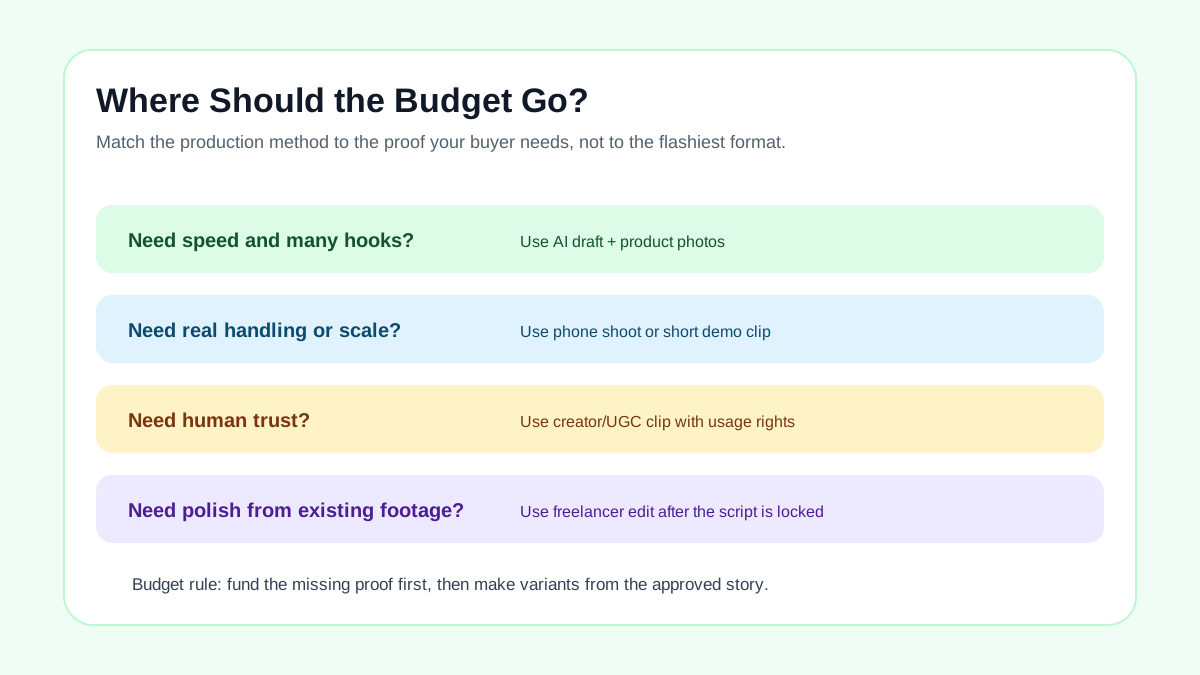
ShopShot fits the first and mixed-asset scenarios: product photos, product facts, and a clear script can become draft videos quickly. That does not remove review work. It moves the expensive part from manual editing to product-story QA.
Step 3: Use a Simple Formula
For planning, use this formula:
Total product video budget =
fixed setup cost
+ (number of base videos x cost per base video)
+ (number of variants x cost per variant)
+ QA/revision buffer
+ paid test budget
The key is to separate base videos from variants. A base video may need planning, proof, and editing. A variant should be cheaper because it changes one part of an approved story.
| Item | Example input | Notes |
|---|---|---|
| Fixed setup | 1 product brief and proof file | Reused across all variants |
| Base videos | 3 hero products | One approved story per product |
| Variants | 3 hooks per product | Keep proof and CTA stable |
| QA buffer | 15-25% of production time | Use for claim, caption, and offer fixes |
| Test budget | Enough to compare variants | Do not overspend before the creative is clean |
If your team has limited budget, cut variant count before cutting QA. A broken offer, unreadable caption, or inaccurate product claim wastes both production and media spend.
Step 4: Budget by SKU Priority
Not every SKU deserves the same video spend.
| SKU type | Budget priority | Recommended video plan |
|---|---|---|
| Best seller | High | One strong base video plus 3-5 hook or proof variants |
| New launch | High if margin and inventory support it | One launch video, one proof video, one retargeting cut |
| Long-tail SKU | Low | Use AI draft or template version from existing assets |
| Complex product | Medium to high | Spend on demo proof before visual polish |
| Seasonal product | Time-sensitive | Use the fastest reliable method and limit revisions |
| Low-margin accessory | Low | Batch with similar products and reuse the same structure |
This keeps the budget tied to commercial value. A best seller can justify more variants because learnings can affect more revenue. A long-tail SKU may only need a simple product page video or retargeting asset.
Step 5: Reserve Budget for Proof
Most ecommerce product videos fail because the video looks polished but does not prove the thing buyers care about.
Spend extra only when it creates proof:
| Buyer question | Useful proof asset | Budget note |
|---|---|---|
| "How big is it?" | Handheld scale clip or comparison object | Worth filming if size drives returns |
| "Does it fit?" | Try-on, device fit, size chart overlay | Needs real product accuracy |
| "Is it durable?" | Material close-up or controlled demo | Avoid unsupported stress claims |
| "Will it work for my use case?" | Use-case scene or customer review | Can often be built from existing proof |
| "Why this offer now?" | Bundle, price, guarantee, or shipping frame | Must match the landing page |
For proof planning, pair this article with Product Video Proof Points for Ecommerce Ads.
Step 6: Plan Variants Without Multiplying Cost
Variants should be controlled. If every version changes the hook, product angle, CTA, voiceover, and format, the test will be hard to read and expensive to produce.
Use this cheaper variant plan:
| Variant type | Change | Keep stable |
|---|---|---|
| Hook test | First 3 seconds | Product proof, CTA, offer |
| Proof test | Demo, review, or spec emphasis | Hook category and CTA |
| Offer test | Discount, bundle, free shipping, guarantee | Product story |
| Format test | 9:16, 1:1, or 4:5 crop | Script and proof order |
| Retargeting cut | Start with proof instead of problem | Product and landing page |
Platform guidance matters here. Google's video specs support horizontal, vertical, and square HD assets. TikTok's creative guidance favors 9:16 vertical content with visible content inside the safe zone. Meta placement guidance uses different aspect ratios across placements. Build variants from the start with these constraints in mind.
Step 7: Add a QA And Rights Buffer
Budget templates often miss review time. That is where cheap production can become expensive after launch.
Add a QA line for:
- Product shape, color, size, and feature accuracy.
- Claims that need proof or softer wording.
- Captions and overlays on mobile.
- Music, voiceover, creator, or stock asset rights.
- Offer, price, coupon, and landing page consistency.
- Platform export format and safe-zone checks.
- Final URL and product page media review.
For Shopify stores, product media can include images, 3D models, and videos. That makes product-page video useful, but it also means the media should clarify the real product rather than act like a generic brand montage.
Example Budget Plan
Here is a practical plan for a small ecommerce brand with five priority SKUs.
| Work item | Quantity | Budget logic |
|---|---|---|
| Product brief and proof file | 5 | One per SKU, reused across scripts and QA |
| AI or template base video | 5 | One base version per priority product |
| Hook variants | 10 | Two extra hooks for the top five SKUs |
| Real demo clips | 2 | Only for products where handling matters |
| Creator clip | 1 | Reserved for the SKU where trust is the bottleneck |
| QA and revisions | 20% buffer | Protects claims, captions, rights, and offer match |
| Initial ad test | Small controlled spend | Compares hooks before scaling |
The point is not the exact numbers. The point is sequencing. Create one approved story per SKU, then spend on variants where the product has enough margin, inventory, and proof to justify testing.
FAQ
What should be included in a product video budget template?
Include pre-production, source assets, production method, variants, QA/revisions, rights, export formats, and test spend. Separate base video cost from variant cost so the budget does not inflate every time you need a new hook.
How much should ecommerce teams spend on product video?
There is no universal number. Spend enough to prove the product accurately and create a few usable variants for priority SKUs. Use lower-cost AI drafts or templates for simple products, and reserve human filming or creator budget for products that need trust, scale, fit, or handling proof.
Is AI cheaper than hiring a video editor?
AI can reduce the cost of first drafts and hook variants when you already have good product assets. It is not a substitute for product accuracy review, rights checks, claim review, or a landing page that matches the video.
Should I budget for one polished video or many simple videos?
For paid social testing, a few simple but accurate variants are usually more useful than one polished video with an untested hook. For product pages, one clear video that explains the product may be enough.
What is the easiest budget cut?
Cut unnecessary variants before cutting proof or QA. A smaller set of accurate videos is better than many cheap videos with weak claims, wrong product details, or unreadable captions.
Sources Checked
- Google Ads Help: About video ad specs
- Google Ads Help: YouTube Shorts ads asset specs and best practices
- TikTok Ads Help: Creative best practices for performance ads
- Meta Business Help: Aspect ratios supported by placements in Meta Ads Manager
- Shopify Help Center: Product media
Bottom Line
A product video budget template should protect useful output, not just reduce cost. Fund the story, product proof, and QA first. Then use AI drafts, reusable scenes, creator clips, or editor time only where they make the video more accurate, more useful, or easier to test.